
Table of Contents
- How Digital Fingerprinting Services in Daytona Beach Work
- Live Scan vs. Ink Card: What’s the Difference?
- Live Scan Fingerprinting Requirements You Need to Meet
- Step-by-Step: Your First Digital Fingerprinting Appointment
- The Cost of Digital Fingerprinting in Florida
- What to Do If Your Fingerprints Are Rejected
- Pre-Employment Background Screening Services for Local Businesses
- Frequently Asked Questions
Last Updated: September 28, 2026
How Digital Fingerprinting Services in Daytona Beach Work
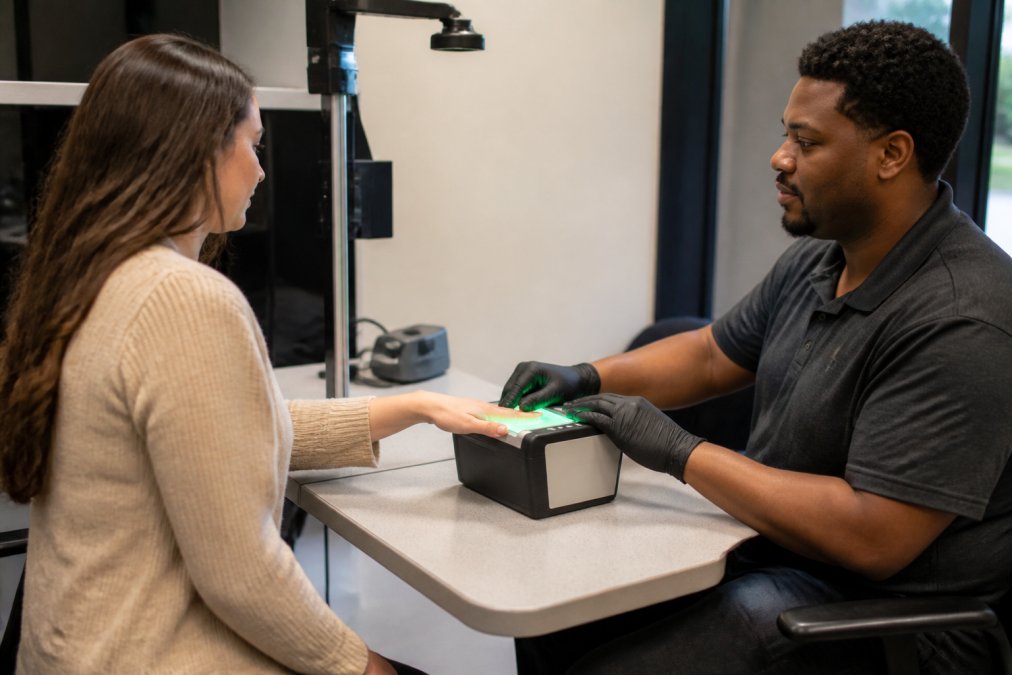
Digital fingerprinting services in Daytona Beach capture your fingerprints electronically and transmit them to the Florida Department of Law Enforcement (FDLE) and the FBI for a criminal history record check.
FBI Criminal Justice Information Services fingerprint overview
Live Scan vs. Ink Card: What’s the Difference?
Live Scan is the better choice for nearly every Florida licensing and employment requirement. It captures fingerprints digitally, flags unclear prints immediately, and submits them electronically, removing mailing time entirely.
| Feature | Live Scan | Ink Card (FD-258) |
|---|---|---|
| Capture method | Digital scanner | Ink and paper |
| Quality check | Immediate, on screen | After mailing |
| Submission | Electronic | Postal mail |
| Rejection risk | Lower | Higher |
| Accepted for most FL licensing | Yes | Often not |
Live Scan Fingerprinting Requirements You Need to Meet
Florida’s Live Scan fingerprinting requirements come down to three things: proper identification, the correct agency code, and a valid reason for the check.
Documents and Information to Bring
- A valid, unexpired government-issued photo ID (driver’s license, state ID, or passport)
- Your Social Security number
- The ORI number or agency code provided by your requesting employer or licensing board
- Any paperwork or instructions your employer or agency sent you
Some agencies also require a photo for a badge or license. If your instructions mention one, ask whether the provider offers photo service so you can handle both in one visit.
ORI Numbers vs. Agency Codes: Why It Matters
An ORI number (Originating Agency Identifier) tells the state and FBI which agency requested your background check and where to send the results. An agency code serves a similar routing purpose for specific licensing boards or employers.
Submitting under the wrong ORI is the most common cause of “lost” fingerprint results. The scan succeeds, the payment goes through, and the report still never reaches the right agency. Always verify the code in writing before your appointment.
Step-by-Step: Your First Digital Fingerprinting Appointment
Your first appointment follows a predictable sequence, and knowing the steps in advance removes almost all the friction.
- Confirm your ORI or agency code with the employer or licensing board requesting the check.
- Gather your documents: photo ID, Social Security number, and any instructions you received.
- Book your appointment through the provider’s scheduling portal, or check whether walk-ins are accepted.
- Complete the intake form at the enrollment station with your personal details.
- Place each finger on the scanner as directed by the technician. The system checks quality in real time.
- Re-scan any unclear prints on the spot. This is the advantage of Live Scan over ink cards.
- Pay the processing fee and collect your receipt.
- Wait for results to route to your requesting agency, then follow up with that agency, not the fingerprint provider, for status.
Ask for your Transaction Control Number (TCN) before you leave. If results get delayed or a print is flagged, that number is how anyone traces your submission. Without it, follow-up becomes guesswork.
The Cost of Digital Fingerprinting in Florida
The cost of digital fingerprinting in Florida is not one fee, it is a stack of fees, and knowing which layer you pay for is the difference between a fair quote and an inflated one. Most applicants assume the advertised price is the whole bill. It rarely is.
The Three Fee Layers
Every Live Scan transaction can carry up to three separate charges:
- The state submission fee. Florida charges a fee to run your prints through the Florida Department of Law Enforcement (FDLE) for a state criminal history record check. This is state-set, not something the provider controls or keeps.
- The federal submission fee. If your check also goes to the FBI, there is a separate federal fee. That is why a state-only check costs less than a state-plus-federal check.
- The provider or rolling fee. This is what the fingerprinting company charges for the scan, the technician’s time, and the electronic transmission. It is the only layer a provider sets, and it varies most from one business to the next.
What Actually Moves Your Total
- Check level: A state-only check involves one agency fee; a state-plus-federal check involves two.
- Purpose: Employment screening, professional licensing, and volunteer checks can route under different agency codes, and some requesting agencies pass their own administrative fee to the applicant.
- Add-ons: Photo capture, expedited handling, or a re-scan after rejection each add to the base.
- Volume: Employers screening multiple applicants sometimes negotiate a per-applicant rate that a single walk-in will not get.
Why You Won’t See a Flat Rate Here
MacData does not publish a flat rate because the total depends on your requirement, which agency requested the check, whether it is state-only or state-plus-federal, and whether you need photo service. Contact us with your ORI or agency code for a current quote.
The most expensive mistake is not a high fee, it is a cheap scan submitted under the wrong ORI. You pay the state and federal fees, the scan succeeds, and the report still never reaches the agency that requested it. You then pay the full stack again for a corrected submission. Confirm your code in writing before you pay anyone.
Payment and Receipts
Most independent enrollment providers accept major credit and debit cards, and some accept cash or money orders, ask before your appointment if you plan to pay another way. Keep the receipt and the Transaction Control Number (TCN) together; if a fee is disputed or a submission traced, those two items are your proof of what was run and when.
A Note on “Guaranteed” Pricing
No fingerprint provider controls the state or federal fee, so none can guarantee a total that undercuts those agencies. Treat any quote claiming to beat the state fee itself with suspicion; a legitimate quote itemizes the provider fee separately from the pass-through charges.
What to Do If Your Fingerprints Are Rejected
A rejected fingerprint submission is not a denial or a dead end, it is a quality-control flag. The FBI and FDLE set a minimum ridge-detail threshold, and some applicants have worn, faint, or unusually dry ridge patterns a scanner cannot capture cleanly on the first pass. Most rejections are resolved with a re-scan.
The Two Kinds of Rejection
The fix depends on which rejection you got:
- Print quality rejection. The system could not read enough ridge detail on one or more fingers. This is the common one and is almost always fixable with a better scan.
- Submission or routing rejection. The prints were fine, but the submission was rejected for a wrong ORI, a mismatched name or date of birth, or an incomplete transaction. This is a paperwork problem, fixed by correcting the data and resubmitting.
Read the rejection notice first. It usually tells you which category you are in, which determines whether you return to the scanner or just correct a form.
The Re-Scan Workflow
When you are notified of a quality rejection:
- Confirm the rejection reason with the requesting agency or the provider that submitted your prints.
- Return for a re-scan. Policies for re-scans vary, ask before booking.
- Tell the technician it is a re-scan.
- Address the physical causes. Dry skin, cold hands, moisture, calluses, and recent hand lotion all affect capture quality.
- Ask the technician to re-scan until the system accepts each print. Live Scan checks quality on screen in real time.
If Rejections Continue
Some applicants have ridge detail that will not clear the threshold no matter how many attempts are made. When that happens, the requesting agency, not the fingerprint provider, decides what comes next. Alternatives include:
- A name-based criminal history check instead of a fingerprint-based one, authorized by the requesting agency when fingerprints cannot be captured.
- An alternative capture method or a second provider with different equipment, if the agency allows it.
- A manual review of the prior submissions by the agency.
Why Rejections Are Rarely About You
Rejections are usually a capture problem, not a character problem. The quality check happens before you leave the station precisely so these issues get caught in the chair, not three weeks later in a review queue.
Keep Your TCN Handy
Every rejection follow-up starts with your Transaction Control Number, which lets the requesting agency, the provider, and the state trace your specific submission. If you lack your TCN, contact the provider that ran your prints first, without it, every follow-up is guesswork.
Pre-Employment Background Screening Services for Local Businesses
Pre-employment background screening services combine fingerprint-based criminal history checks with identity verification and, where required, employment or license verification.
Local vs. Statewide Processing Times
Turnaround depends on the check type, not the provider’s location. A state-only check generally returns faster than one that also goes to the FBI, since fewer agencies are involved.
- State-only checks: typically the fastest, since results route through FDLE alone.
- State plus FBI checks: longer, because the submission passes through both agencies.
- Employer-side delays: the requesting agency’s own review time often adds more days than the fingerprint process itself.
Frequently Asked Questions
What documents do I need to bring for digital fingerprinting in Florida?
You’ll need a government-issued photo ID such as a driver’s license or passport. Depending on your reason for screening, you may also need your Social Security number, an ORI number or agency code provided by your employer or licensing board, and any payment method accepted by the provider. For licensing purposes, bring the specific instructions your state agency sent you so the technician submits your prints to the correct destination.
How long does the digital fingerprinting process take?
The actual fingerprint capture usually takes 5 to 15 minutes per person. Results turnaround depends on the requesting agency and the type of check. State-level checks often return within a few business days, while FBI criminal history record checks can take longer. If you’re scheduling for a group of new hires, book appointments in advance and confirm the expected timeline with your provider.
How much does fingerprinting cost in Florida?
Pricing depends on the type of check, whether state and FBI fees apply, and the provider you choose. Florida charges separate state and federal processing fees for background checks. Check MacData’s website for current rates.
Are digital fingerprints required for all professional licenses in Florida?
Not every license requires them, but many do. The Florida Department of Business and Professional Regulation (DBPR) requires Level 2 background screening, which includes Live Scan fingerprinting, for a wide range of professions such as contractors, real estate agents, and healthcare workers. Check your specific licensing board’s requirements or ask your employer whether a Level 2 screen is mandatory for your role.